
Youth Resources
Reading, learning, and exploration for kids & families
Discover book lists, kid-friendly digital borrowing, reading-level tools, and educational tablets—curated to support young readers at every stage.
- Curated & library-supported
- Free with your library card
Quick tips
- Start with a reading level tool if your child is “between” books.
- Try the Digital Library for Kids for eBooks & audiobooks.
- Borrow a Launchpad for offline learning—no Wi-Fi needed.
Featured Youth Resources
Four popular tools and programs to help kids find the right books and have fun learning.
Battle of the Books
Each year, the Wisconsin Educational Media & Technology Association (WEMTA) publishes a list of 20 books to be used in the statewide Battle of the Books. These lists include titles for the 2025–2026 school year that are available through the MORE system.
The program promotes a love of reading and encourages students to remember details about plots, characters, and settings.
Example question format: “Name the book in which a horse and a boy are stranded on an island.”
How battles work
In a battle, questions are answered by giving the title and author. Teams read from the same list so everyone has a shared set of books to study.
Wisconsin's Digital Library for Kids
Browse kid-friendly digital titles—perfect for at-home reading, road trips, and anytime listening.
What you can do
- Borrow eBooks and audiobooks for kids.
- Read/listen on a phone, tablet, or computer.
- Place holds on popular titles.
Getting Started
- Have a library card ready.
- Sign in to the digital library site/app.
- Borrow, download, and enjoy!

Lexile® Find a Book
Using Lexile® Find a Book, you can easily find books that match your child’s Lexile measure, grade level, or interests among hundreds of thousands of titles.
Helpful search filters
Search filters include:
- Dozens of interest categories
- Books in a series
- Award-winning books
Related tool: Accelerated Reader Bookfinder
Searching for books with a corresponding Renaissance Accelerated Reader 360® quiz is easy with Accelerated Reader Bookfinder®. Search in English or Spanish using criteria like ATOS book level or a Lexile™ measure, interest level, title, author, fiction/nonfiction, subject areas, and more.
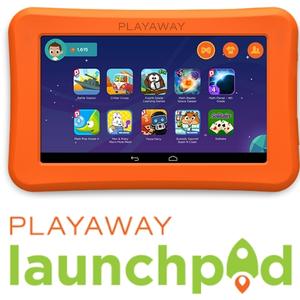
Playaway Launchpads Ready for Borrowing
Playaway Launchpad tablets are available for checkout at Friday Memorial Library. They’re designed for children and are preloaded with high quality, ad-free apps that are fun and educational.
Why families like Launchpads
- No Wi-Fi needed; no downloading required.
- No camera and no Wi-Fi access—reduced risk of unintended content.
- Apps grouped by subject area, grade level, theme, and age.
What content is available?
Each Launchpad is custom curated with a high-quality, ad-free app pack grouped by age, grade, subject area, and theme. Subject areas include:
- English language arts
- Math and science
- Language learning
- Critical thinking and creativity
Themed packs may include animals, vehicles, dinosaurs, space, languages, and more. Each pack has at least 10 apps pre-loaded for learning and fun.
Age groups
Easily identifiable age groups are listed on the side of the carrying case. Most are ages 3–5 and 5–7.
Help choosing the right option
Use this quick guide to point families to the best fit in under a minute.
If you want…
- A book challenge: Battle of the Books
- Digital reading/listening: Wisconsin Digital Library for Kids
- “Just right” books: Lexile Find a Book (and/or AR Bookfinder)
- Offline learning apps: Playaway Launchpads
Ask a librarian…
Need a recommendation? Call, email, or stop by—we’re happy to help you find the right books or the right Launchpad for your child’s interests and age.